The network everything else runs on.
Enterprise Wi-Fi, managed switching, firewalls, and clean network racks — engineered for coverage, uptime, and the bandwidth your cameras and devices actually need.
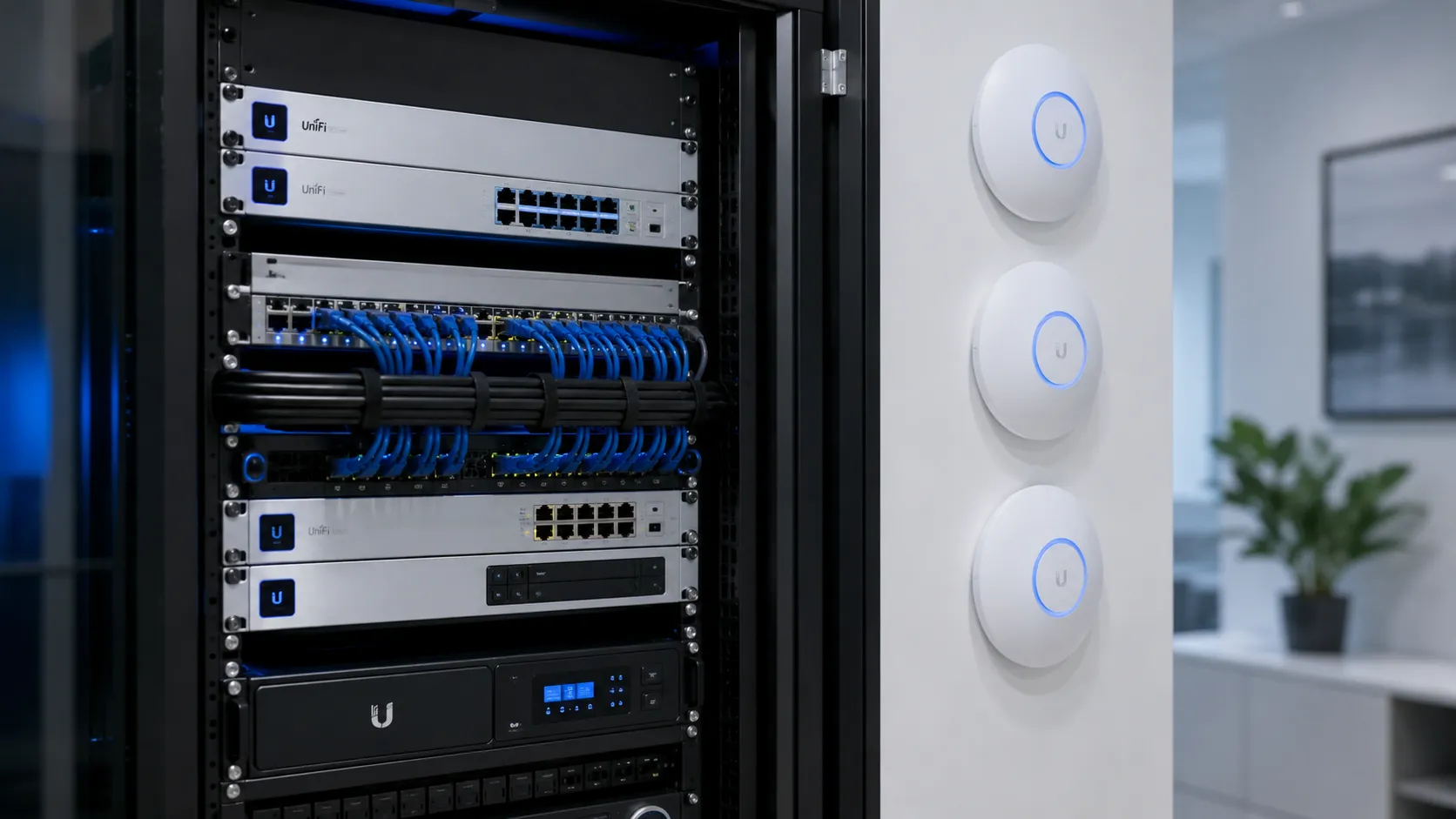
NaMiSmart designs and installs enterprise Wi-Fi and network infrastructure for offices, hotels, retail, and multi-floor properties throughout Burbank and Greater Los Angeles. We start with a real site survey — not guesswork — to find where signal actually fails, then place access points, switches, and firewalls sized for the devices, cameras, and traffic your property really runs. Every network we build is documented and labeled, so your team (or the next technician) can actually understand it.
Enterprise Wi-Fi
Access points placed for real coverage — no dead zones — across offices, hotels, and multi-floor buildings.
Switching & Routing
Managed switches, routers, firewalls, and PoE power sized for your cameras and devices.
Racks & Organization
Clean, labeled network racks and cabinets — with UPS and power-backup planning built in.
Not sure what needs upgrading yet?
Our free IT infrastructure consultation evaluates your cameras, Wi-Fi, switches, firewalls, and routers together — and gives you a prioritized plan before you spend on anything.
Networks that hold up under real load
UniFi & Ubiquiti systems
Controller, APs, switches, and gateways deployed and tuned.
Cisco networking
Business-grade routing and switching where it's the right fit.
Firewalls & security
Segmentation and protection for cameras, staff, and guests. Do you need a business firewall? →
Multi-floor design
Per-floor closets and uplinks planned for hotels & buildings.
Wi-Fi coverage fixes
Surveys and AP placement to kill dead zones for good. Why Wi-Fi dies in the back office →
Cleanup & reliability
Untangle messy setups into a stable, documented network.
Your cameras are only as good as this network.
Dropped feeds, laggy remote viewing, and failed recordings usually trace back to the network — not the cameras. We build the backbone right so the whole system stays reliable and ready to expand.
Inherited a messy network?
We audit, clean up, and re-cable tangled closets and unstable setups — then document everything so your team actually knows what's what.
Common questions about network installation
How much does business Wi-Fi installation cost in Los Angeles?
It depends on square footage, the number of access points needed, and whether you need managed switching or a firewall as well. We do a free on-site survey to map dead zones and give a firm quote — no cost to find out what your building actually needs.
Can you fix Wi-Fi dead zones in an existing office or building?
Yes — this is one of our most common calls. We run a proper site survey, identify where signal is actually failing (often thick walls, elevator shafts, or a single overloaded router), and place enterprise access points to cover it properly instead of just adding another consumer router.
Do you install separate Wi-Fi for guests and staff?
Yes. We regularly configure VLANs and firewall rules so guest or public Wi-Fi is fully isolated from POS systems, cameras, and internal business traffic — standard practice for retail, hotel, and office installs.
Do you work with UniFi or does it have to be Cisco?
Both. We install and support UniFi/Ubiquiti for most small and mid-size properties, and Cisco business-grade equipment where the scale or client requirements call for it. We help you pick the right platform for your budget rather than pushing one brand.
Will my network be able to handle security cameras and Wi-Fi together?
That’s exactly what we design for. Camera streams need consistent bandwidth and PoE power that consumer routers aren’t built for — we size switching, cabling, and access points around your actual camera count from the start so neither system chokes the other.
Let's design your network.
Free on-site assessment & quote across Greater LA.