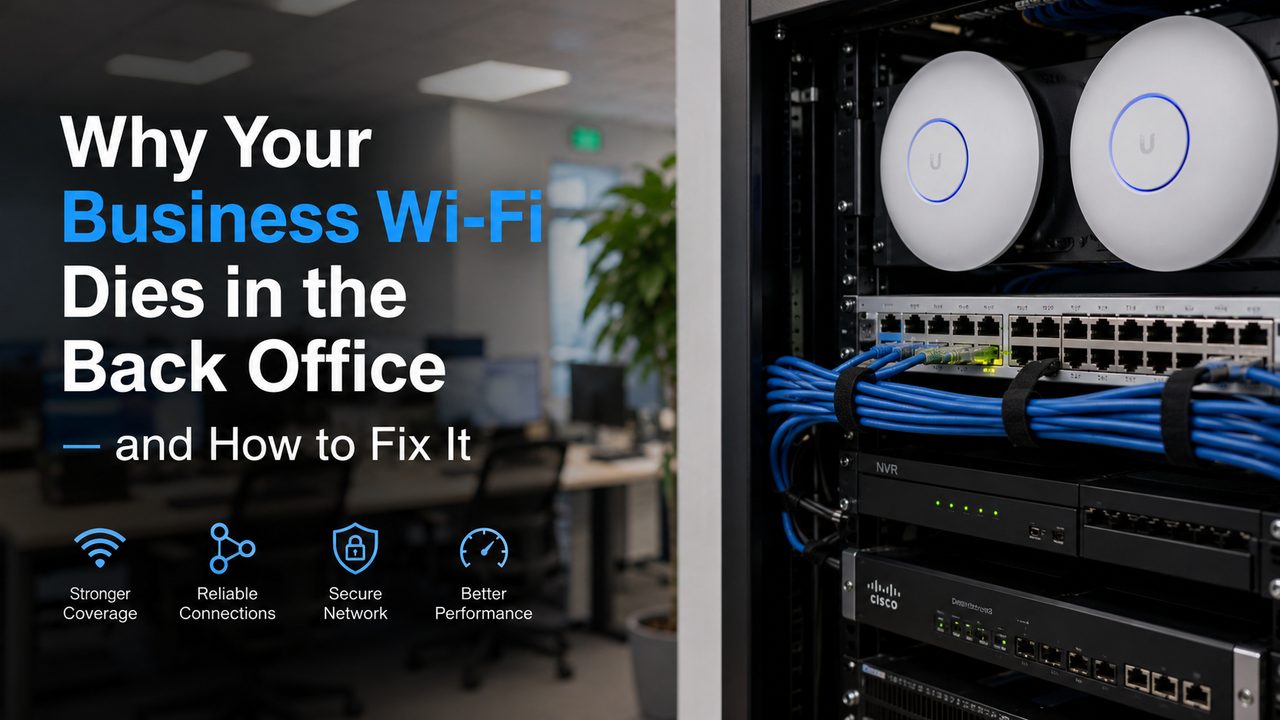
Most business owners notice Wi-Fi problems in the same way.
The internet works fine near the front desk. The register area is okay. The office computer connects. Then someone walks toward the back office, stock room, warehouse area, break room, or far corner of the building — and the Wi-Fi suddenly becomes weak, slow, or unreliable.
At first, it feels like an internet problem. Maybe Spectrum, AT&T, Frontier, or another provider is having issues. But if the Wi-Fi is strong in one area and weak in another, the internet service itself is usually not the main problem.
The real issue is usually coverage, access point placement, cabling, interference, or an overloaded network design.
For businesses in Los Angeles, the San Fernando Valley, Ventura County, and surrounding areas, this is extremely common. Commercial buildings, retail stores, warehouses, medical offices, schools, restaurants, apartment offices, and older properties often have layouts that are tough on Wi-Fi.
The good news is that bad Wi-Fi can usually be fixed — but the fix is not always “buy a stronger router.”
Why Wi-Fi Dies in the Back Office
Wi-Fi is radio signal. That means it has to travel through walls, ceilings, equipment, shelving, doors, glass, concrete, metal, people, appliances, and other wireless signals.
In a simple open room, one router might feel fine. In a real business, the layout is usually not simple.
A back office may be behind multiple walls. A stock room may have metal shelving. A warehouse may have high ceilings and thick concrete. A restaurant may have stainless steel appliances. A medical office may have multiple rooms and doors. A retail store may have cameras, POS systems, guest Wi-Fi, phones, tablets, and smart devices all sharing the same network.
That is why the front of the business can have good Wi-Fi while the back office has almost nothing.
The Router Is in the Wrong Place
One of the most common causes of weak business Wi-Fi is simple: the router or access point is in the wrong place.
Many businesses have their modem and router wherever the internet provider installed the line. That might be inside a utility closet, behind a desk, under a counter, above ceiling tiles, or in an electrical room.
That location may be convenient for the cable company, but it is not always the best location for Wi-Fi coverage.
If your router is stuffed in a closet or mounted low behind equipment, the signal has to fight through everything around it before it reaches your employees or customers. By the time it reaches the back office, the signal may already be too weak to be useful.
A proper business Wi-Fi setup usually uses access points placed where coverage is actually needed — not just where the internet line enters the building.
One Router Is Not Enough for the Whole Business
A lot of businesses are still trying to run everything from one all-in-one router.
That might work in a small open office, but it usually does not work well for a real commercial space.
If your business has a front lobby, private office, hallway, stock room, warehouse, break room, outdoor area, or multiple floors, one router is usually not enough. The farther you get from the router, the weaker the signal gets. Devices may still show “connected,” but the connection may be too weak for reliable work.
That is why professional business Wi-Fi systems use multiple access points.
Access points are different from a basic home router. They are placed throughout the property to create stronger, cleaner coverage in the areas where people actually need Wi-Fi. When installed correctly, employees can move through the building without constantly dropping connection.
Thick Walls, Metal, and Building Materials Block Signal
Business buildings are not built like homes.
Many commercial properties have thick walls, concrete, metal studs, fire-rated doors, glass partitions, metal racks, coolers, warehouse shelving, elevators, and equipment rooms. These materials can weaken or block Wi-Fi.
Metal is especially bad for Wi-Fi. If your back office is behind metal shelving, server equipment, kitchen equipment, storage racks, or warehouse inventory, the signal may not travel cleanly.
This is why guessing does not always work. A Wi-Fi network should be designed around the real building layout. The best access point location is not always the center of the room. It depends on the walls, ceiling height, cable paths, device locations, and how the space is used.
Your Network May Be Overloaded
Sometimes the Wi-Fi signal is not the only problem. The network may be overloaded.
A modern business may have:
- Security cameras
- Point-of-sale systems
- Office computers
- Employee phones
- Customer guest Wi-Fi
- Printers
- Smart TVs
- VoIP phones
- Tablets
- NVRs
- Cloud software
- Access control
- IoT devices
- Streaming music
- Backup systems
All of these devices compete for network resources.
If everything is on one basic router and one Wi-Fi network, performance can suffer. The back office may feel like the problem area because that is where the signal is already weaker. Once the network gets busy, weak areas are the first to fail.
A better setup separates important business traffic from guest traffic, camera traffic, and lower-priority devices. For example, your POS system, office computers, security cameras, and guest Wi-Fi should not all be treated the same.
2.4 GHz, 5 GHz, and 6 GHz Are Not the Same
Most modern Wi-Fi systems use different frequency bands. The most common are 2.4 GHz and 5 GHz. Newer systems may also use 6 GHz.
In simple terms:
- 2.4 GHz usually travels farther but is slower and more crowded.
- 5 GHz is usually faster but does not travel as far through walls.
- 6 GHz can be very fast and clean, but it has shorter range and requires compatible devices.
This matters because a device in the back office may connect to the wrong band or hold onto a weak signal too long. Sometimes the Wi-Fi name looks connected, but the device is struggling behind the scenes.
A professional Wi-Fi setup should balance coverage and performance. The goal is not just to “have signal.” The goal is to have usable signal, stable speed, and reliable roaming.
Mesh Wi-Fi Is Not Always the Best Business Fix
Many businesses try mesh Wi-Fi because it sounds easy. You plug in extra units and hope they extend the signal.
Mesh can help in some situations, but it is not always the best option for a business.
The problem is that many mesh systems repeat the signal wirelessly. If the mesh unit in the back office already receives a weak signal, it may simply repeat a weak connection. That can create the appearance of better coverage without actually fixing performance.
For business networks, wired access points are usually the better long-term solution. That means running proper network cabling, such as Cat6, from the network rack or main equipment area to the access point locations.
A wired access point gets a strong connection back to the network instead of relying on another weak wireless hop.
Bad Cabling Can Cause Wi-Fi Problems Too
Sometimes the Wi-Fi access point is not the problem. The cable feeding it is.
If the cable is damaged, poorly terminated, too old, mislabeled, or connected through a messy rack, the access point may not perform properly. You may see random disconnects, slow speeds, or devices that work one day and fail the next.
For a professional business setup, the cabling should be clean, tested, labeled, and connected properly to the correct switch or network equipment.
This is especially important if your Wi-Fi access points are powered through PoE, which stands for Power over Ethernet. PoE allows the network cable to carry both data and power to the access point. If the switch, cable, or termination is not right, the access point may not work reliably.
Your Internet Speed May Not Be the Real Problem
A lot of businesses upgrade their internet speed thinking it will fix Wi-Fi.
Sometimes it helps. But many times, it does not.
If your internet plan is fast but your Wi-Fi design is poor, the back office will still have problems. Faster internet does not magically push wireless signal through walls. It does not fix bad access point placement. It does not clean up interference. It does not separate guest traffic from business traffic. It does not repair bad cabling.
Before paying more every month for a bigger internet plan, it is smart to check whether your existing network is actually distributing that connection properly throughout the building.
Signs Your Business Needs a Wi-Fi Upgrade
Your business may need a professional Wi-Fi upgrade if you notice:
- Wi-Fi is strong in the front but weak in the back office
- Employees use cellular data inside the building because Wi-Fi is unreliable
- POS systems, tablets, or office computers disconnect randomly
- Security cameras or NVR access lag on the network
- Guest Wi-Fi slows down business devices
- Video calls freeze or drop
- Printers disappear from the network
- One access point or router is trying to cover the whole property
- Your network rack is messy, unlabeled, or hard to troubleshoot
- You have added devices over time but never redesigned the network
These problems usually get worse as the business grows. A setup that worked for five devices may not work for twenty, fifty, or one hundred devices.
How to Fix Business Wi-Fi the Right Way
The right fix starts with understanding the property.
A good Wi-Fi upgrade usually includes several steps.
First, identify where the weak areas are. This includes the back office, stock room, warehouse, employee areas, front counter, conference rooms, outdoor areas, or any place where devices need reliable access.
Second, check where the existing modem, router, switch, rack, and access points are located. Many problems start with equipment placed in the wrong spot.
Third, check the cabling. If access points are going to be installed properly, they need clean cable runs back to the correct network equipment.
Fourth, choose the right access points. A small office, restaurant, retail store, warehouse, school, or hotel may all need different access point types and placement.
Fifth, configure the network properly. That may include separate networks for employees, guests, cameras, POS, and other devices. It may also include VLANs, firewall rules, roaming settings, channel planning, and proper Wi-Fi security.
Sixth, test the system after installation. A network should not just look good on paper. It should work in the real building, with real walls, real devices, and real business activity.
Why Professional Wi-Fi Installation Matters
Business Wi-Fi is not just about internet browsing anymore.
Your Wi-Fi may support payment systems, phones, security cameras, access control, tablets, laptops, employees, customers, vendors, smart devices, and cloud software. When it fails, the business slows down.
A professional installation looks at the full system:
- Internet service
- Router and firewall
- Network switches
- Access points
- Structured cabling
- Patch panels
- Network rack
- PoE requirements
- Security cameras
- Guest Wi-Fi
- Business device traffic
- Remote access and support
That full-system view is what makes the difference between “we added a booster” and “the network is actually designed correctly.”
Common Mistakes to Avoid
If your back office Wi-Fi is weak, avoid these common mistakes:
- Do not keep adding random extenders without a plan.
- Do not assume a more expensive router will fix every coverage problem.
- Do not place access points inside closets if the users are outside the closet.
- Do not run business devices and guest Wi-Fi with no separation.
- Do not ignore messy cabling or unlabeled network equipment.
- Do not wait until the POS system or security cameras start failing during business hours.
A clean network is easier to troubleshoot, easier to upgrade, and more reliable long-term.
The Best Fix: Wired Access Points and a Clean Network Design
For most businesses, the best long-term solution is not a Wi-Fi extender. It is a proper network design with wired access points.
That usually means installing Cat6 cabling from the network rack to the correct ceiling or wall locations, mounting professional access points, cleaning up the rack if needed, configuring the network properly, and testing coverage after the installation.
This gives your business stronger Wi-Fi where people actually work — not just near the modem.
Need Help With Business Wi-Fi in Los Angeles?
NaMiSmart helps businesses design, install, clean up, and troubleshoot professional Wi-Fi and network systems across Greater Los Angeles, the San Fernando Valley, Ventura County, the Antelope Valley, Lancaster, Palmdale, and surrounding areas.
We work with business Wi-Fi, UniFi and Cisco networking, structured cabling, network racks, switches, routers, firewalls, access points, security camera systems, NVRs, and ongoing maintenance.
If your Wi-Fi works in the front but dies in the back office, stock room, warehouse, or far side of the building, the problem can usually be fixed with the right design.
Request an estimate and tell us what type of property you have, where the Wi-Fi drops, and what devices are having trouble. We can help you figure out whether you need better access point placement, new cabling, a cleaner rack, network troubleshooting, or a complete Wi-Fi upgrade.
FAQ
Why does my Wi-Fi work in the front of my business but not the back office?
This usually happens because the router or access point is too far away, blocked by walls or equipment, or not designed to cover the full property. Back offices, stock rooms, and warehouses often have more obstacles between the device and the Wi-Fi signal.
Will a Wi-Fi extender fix my business Wi-Fi?
Sometimes, but not always. Extenders and mesh units can help in small spaces, but they may repeat a weak signal if they are placed too far from the main router. For many businesses, wired access points are a better long-term solution.
How many access points does a small business need?
It depends on the size, layout, wall materials, number of devices, and how the space is used. Some small offices need one good access point. Larger businesses, warehouses, restaurants, medical offices, or multi-room spaces may need several.
Is slow Wi-Fi always caused by the internet provider?
No. If Wi-Fi is strong in one area and weak in another, the issue is usually inside the building. It may be caused by access point placement, interference, cabling, network equipment, or an overloaded Wi-Fi setup.
What is better for business Wi-Fi: mesh or wired access points?
For most businesses, wired access points are more reliable. Mesh can be useful in some cases, but a wired access point has a stronger connection back to the network and is usually better for business-critical devices.
Can NaMiSmart fix an existing Wi-Fi setup?
Yes. NaMiSmart can troubleshoot, upgrade, expand, or redesign existing business Wi-Fi and networking systems, including access points, switches, cabling, racks, routers, firewalls, and related security camera network equipment.