We got a call recently from a business owner who’d outgrown the technology behind their operation — cameras from one era, a router from another, switches nobody remembered installing, and no firewall to speak of. They didn’t come to us asking for one thing. They wanted someone to look at all of it and tell them, honestly, what needed to change.
That conversation is more common than most business owners realize. Technology gets added in pieces — a camera here, an access point there, a switch swapped in during an emergency — and nobody steps back to look at the whole system until something breaks at the worst possible time.
Here are five signs it’s time for a real IT infrastructure assessment, not another one-off fix.
1. Your Wi-Fi Has “Dead Zones” Everyone Just Works Around
If certain corners of your office, back room, or warehouse simply don’t get signal — and staff have learned to just avoid those spots or walk toward the front for a decent connection — that’s not a quirky building problem. It’s usually a single overloaded router or access point trying to cover far more space than it was ever built for.
The fix isn’t always “add another router.” Often it’s the wrong question. The right one is whether your access points are placed and sized for the property you actually have today, not the one you had when the system went in. We wrote about exactly this pattern in why business Wi-Fi dies in the back office — it’s one of the most common findings in an assessment.
2. Cameras, Switches, and Routers Are From Different Eras
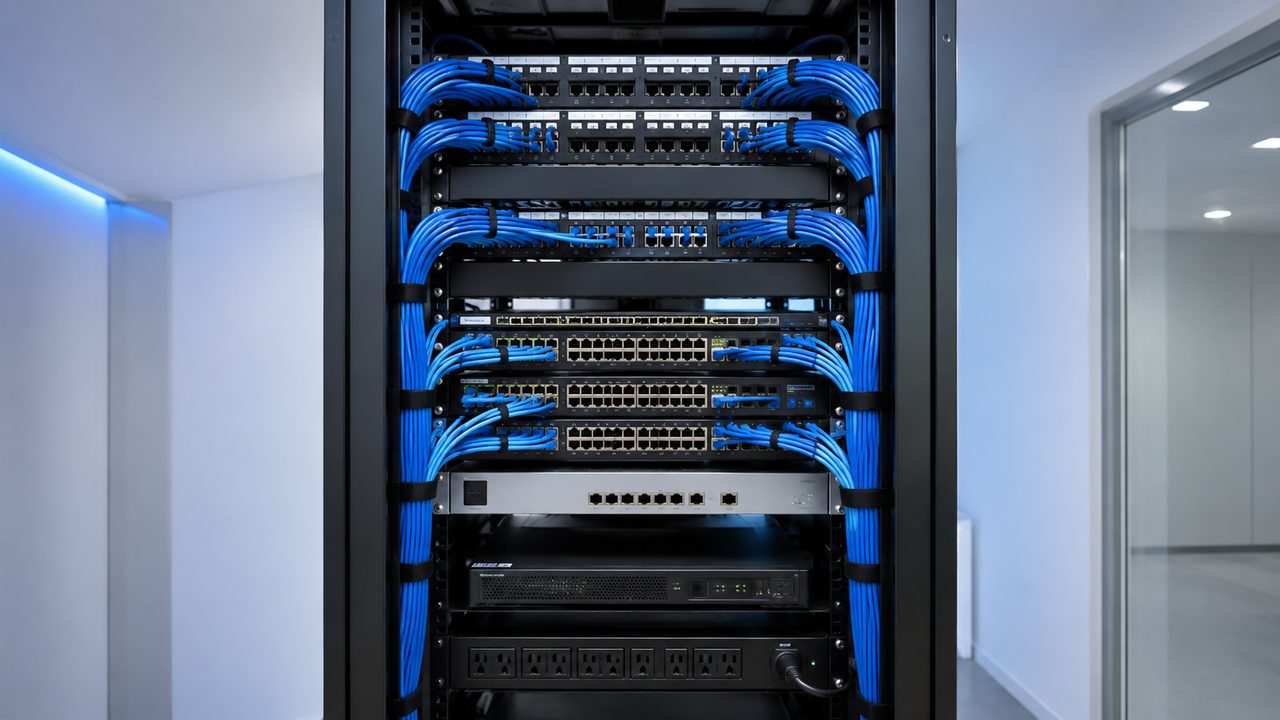
Walk into most network closets that have been added to over several years and you’ll find it: a switch from one install, a router swapped in during an outage, cameras from two different systems that were never fully merged, and cabling that nobody labeled.
None of that is unusual, and none of it is your fault — it’s what happens when technology gets patched instead of planned. But it does mean nobody can currently answer basic questions like “what’s actually plugged into what” or “what happens if this specific switch fails.” That’s a sign the whole system needs to be looked at together, not piece by piece.
3. You’ve Added Door Access, Cameras, or Wi-Fi Without Ever Reviewing the Network Behind Them
Door access control, security cameras, and Wi-Fi access points all put real demand on the same switches, cabling, and power — but they’re often installed by different vendors at different times, each assuming the network behind them can handle it.
A card reader added last year, a camera system from three years ago, and an access point installed during a lease renewal can all be running on infrastructure that was only ever sized for one of them. The result is usually intermittent, hard-to-diagnose problems: a reader that occasionally doesn’t respond, a camera that drops during peak hours, Wi-Fi that slows down every afternoon. Nobody notices until it happens twice in the same week.
4. Nobody Firewall-Segments Cameras, POS, and Staff Devices
If your security cameras, point-of-sale system, staff computers, and guest Wi-Fi are all sitting on the same flat network behind the router your internet provider installed, that’s a sign your network grew faster than its security did.
This is one of the most common — and most fixable — gaps we find. We go into more detail on what an actual business firewall does (and why a home router isn’t built for this) in do you need a business firewall?
5. You’re Not Sure What Would Happen If One Thing Failed
This is the question that tends to end the conversation quickly: if your main switch died tomorrow, would you know what goes down with it? If your only network closet flooded or lost power, is there a backup plan, or does everything just stop?
Most businesses running on infrastructure that grew piece by piece don’t have a clear answer. That uncertainty — more than any single piece of aging hardware — is usually the real reason to get a full assessment rather than waiting for the next thing to break.
What an Assessment Actually Looks Like
An IT infrastructure assessment isn’t a sales pitch dressed up as a walkthrough. It’s a straightforward, three-step process:
- On-site walkthrough — we inspect your cameras, door access hardware, network closet, switches, firewall, access points, and cabling in person.
- Findings report — a plain-language rundown of what’s working, what’s outdated, and what’s an actual risk.
- Upgrade roadmap — a prioritized plan and quote, phased by budget if needed, so you decide what gets tackled first.
There’s no obligation to hire us for the upgrade work afterward. The goal is that you walk away actually knowing what your business is running on.
Get a Free IT Infrastructure Assessment in Los Angeles
NaMiSmart offers free on-site IT infrastructure assessments for businesses across Burbank, the San Fernando Valley, Ventura County, Santa Clarita, the Antelope Valley, and Orange County — evaluating cameras, door access, Wi-Fi, switches, firewalls, and routers together instead of one at a time.
Read more on our IT Infrastructure Consulting page, or request an estimate and tell us what’s going on with your setup.
FAQ
How do I know if my business needs a full IT infrastructure assessment instead of a single repair?
If more than one of these signs sounds familiar — dead Wi-Fi zones, camera gaps, a mystery network closet, equipment from three different eras, or no idea what’s actually plugged in — a full assessment is worth it. A single repair fixes what just broke. An assessment catches what’s about to.
Is an IT infrastructure assessment the same as hiring a managed IT provider?
No. An assessment focuses on the physical side — cameras, door access, Wi-Fi, switches, firewalls, routers, and cabling — rather than help desk support, software, or cloud services. It’s a one-time (or periodic) evaluation of your hardware and network, not ongoing IT management.
Do you charge for this kind of assessment?
No. NaMiSmart’s on-site IT infrastructure assessment and written findings report are free for businesses across Greater Los Angeles. You get the roadmap regardless of whether you hire us for the upgrade work.
What if our equipment is a mix of brands — some UniFi, some Cisco, some no-name gear from years ago?
That’s the normal case, not the exception. Most properties we walk into have equipment from several installers and several eras. We document what’s actually there, note what’s still solid, and only recommend replacing what’s genuinely holding the business back.
How long does the assessment take, and what do we get at the end?
Most single-location walkthroughs take under two hours on-site. You’ll get a written summary of what’s working, what’s outdated, and what’s a risk — plus a prioritized upgrade plan phased by budget, not a single all-or-nothing quote.