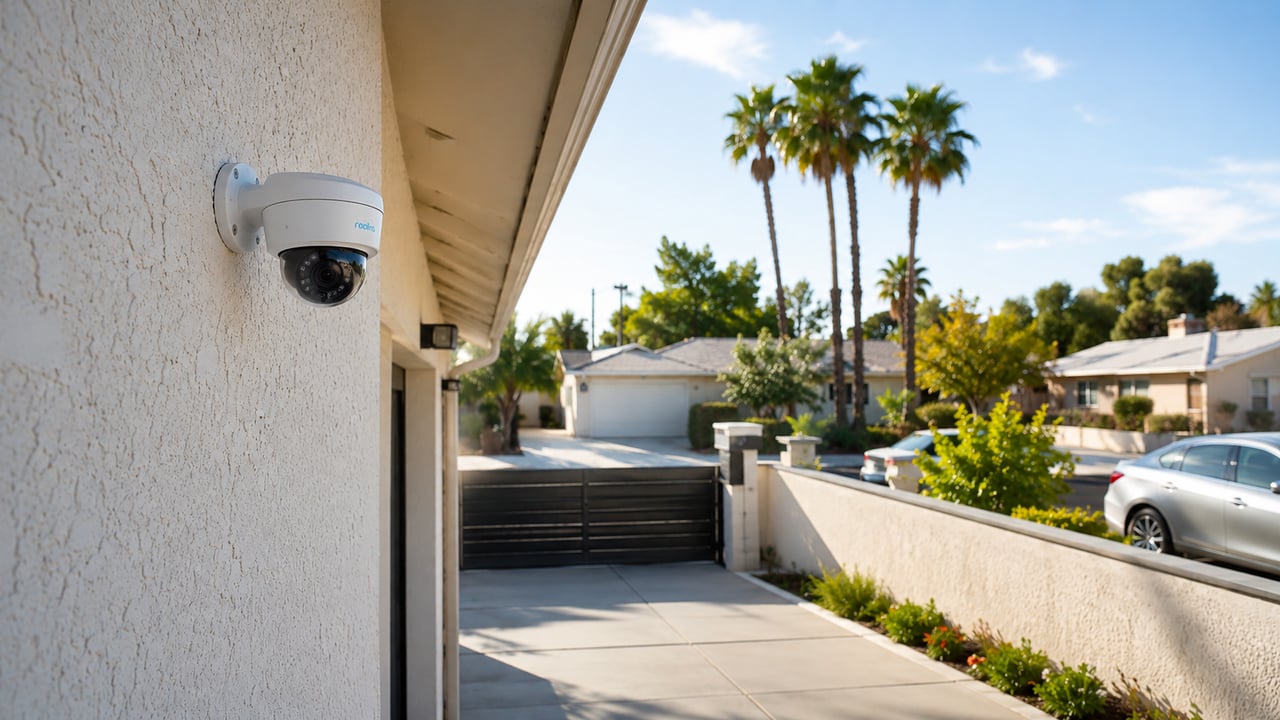
Security camera subscriptions have become one of the most talked-about frustrations in home security right now.
You buy the camera. You set it up. Then you find out that viewing your own recorded footage requires a monthly plan. Some brands charge five dollars a month. Some charge ten. Some charge more if you want longer storage or multiple cameras. And if you stop paying, the recordings disappear.
More homeowners in Los Angeles and across the country are looking for a way out of that cycle — and the search data shows it clearly. Searches for “security cameras that don’t require a subscription” have jumped over two thousand percent in recent months. Searches for “security cameras that don’t need wifi” are up nearly eight hundred percent.
This is not a niche concern. It is a widespread shift in how people think about home security.
So what actually works? How do cameras without a subscription hold up? And what should Los Angeles homeowners know before buying or installing one?
Why the Monthly Fee Model Became So Common
A few years ago, most security cameras recorded to a DVR or VCR. You owned the footage. You kept the recordings.
As cameras moved to Wi-Fi and the cloud, manufacturers realized they could offer convenient remote access as a service — and charge for it monthly. The cameras got cheaper upfront. The monthly fees covered the real cost.
For a lot of people, that trade felt reasonable at first. But as subscriptions have added up across smart home devices, streaming services, and everything else, homeowners are rethinking what they actually want to pay for every month.
The good news is that the technology to record without a subscription has always existed. It just requires understanding which setup is right for your home.
How Subscription-Free Cameras Actually Work
There are a few different ways cameras can store footage without cloud fees.
Local SD card storage is the simplest. Many cameras have a slot for a memory card that records footage directly onto the card inside the camera. When the card fills up, the oldest footage gets overwritten automatically. You can remove the card or access recordings through the camera app. No monthly fee required.
The limitation is that the card is inside the camera — which means if the camera is stolen or damaged, the footage may be gone with it.
NVR systems (Network Video Recorders) are the professional-grade option. A PoE (Power over Ethernet) camera system runs a cable from each camera back to a central recorder. The cable handles both power and video data. The NVR stores all footage on a hard drive inside your home or business.
There is no Wi-Fi dependency for the cameras. No monthly cloud fee. You view footage from your phone, tablet, or TV using the NVR’s app or web interface. Storage capacity depends on how large a hard drive the NVR uses, but most systems hold anywhere from two weeks to over a month of continuous footage before overwriting. For the full breakdown of how long local vs. cloud storage actually lasts, see our cloud vs. local storage comparison.
NAS storage is another option for homeowners who want more control. A network-attached storage device sits on your home network and can hold camera footage from compatible cameras. This approach takes more setup but gives you full control over storage size and how long recordings are kept.
Hybrid systems offer local storage as the primary method with optional cloud backup for emergencies only. Some brands allow you to add cloud backup at a lower cost because the cloud is not storing everything — only clips you choose or critical events.
What You Give Up Without a Subscription
It is worth being honest about the trade-offs, because they are real.
The main thing you give up is offsite backup. With cloud storage, even if your camera is stolen or destroyed, the footage is still on a server somewhere. With purely local storage, if the camera or recorder is taken, the footage is usually gone.
You also give up some convenience features that come with cloud plans — like extended clip history, facial recognition, or integration with certain smart home platforms. The availability of these features depends entirely on the brand and the plan.
For most Los Angeles homeowners, the local storage trade-off is manageable. If the NVR or recorder is kept inside the home in a secure location, it is much harder for a thief to get to than the camera outside. A lockbox or a hidden install location helps.
What you gain is significant: no ongoing cost, full ownership of your footage, no dependence on a company’s servers staying online, and no risk of losing access because a subscription lapses.
Cameras That Don’t Need Wi-Fi
This is a separate question that many homeowners are asking alongside the subscription issue.
Wireless security cameras need Wi-Fi to transmit video. If your Wi-Fi signal is weak at the back corner of your property, the camera may drop out, lag, or go offline. If your internet service goes down, a wireless camera may stop recording remotely or stop sending alerts.
Wired PoE cameras solve this entirely. The Cat5e or Cat6 cable running from the camera to the NVR carries the video signal directly — no Wi-Fi required. The camera stays online as long as it has power from the cable. It does not care what your router is doing.
This is why most professional security camera installations use wired cameras. They are more reliable, especially for outdoor cameras far from the router, in garages, over driveways, or on second floors.
In Los Angeles, many homes have long driveways, detached garages, ADUs, guesthouses, or large backyards. Those are exactly the kinds of locations where wireless cameras struggle and wired cameras perform well.
Cellular cameras are another option for locations without internet at all — a vacant lot, a storage yard, a second property, or an area where running cable is not practical. These cameras use a cellular data connection similar to a phone and typically require a cellular data plan rather than a cloud storage subscription. The cost is usually lower and the function is more direct.
Wireless Outdoor Cameras Still Have a Place
Wired is not always the right answer.
If you are renting, if cable runs are not practical, or if you need a quick install for a specific location, wireless outdoor cameras can work well — especially if your Wi-Fi signal reaches that area reliably.
The key is choosing a wireless camera that:
- Has a strong local SD card option or NAS support
- Does not require a subscription for basic functionality like motion alerts and live view
- Connects reliably at the distance from your router
Battery-powered wireless cameras add another layer of flexibility for locations where running power is also difficult. They typically record to SD card or optional cloud storage and send motion alerts over Wi-Fi or cellular.
For most homeowners who want wireless cameras without a subscription, the biggest risk is a camera that offers cloud storage for free for the first year and then starts charging. Read the terms carefully before buying.
What Matters Most for Los Angeles Homes
LA homeowners tend to have specific security concerns that are worth planning around.
Package theft is a significant issue in most LA neighborhoods. A camera covering the front porch or driveway gate — ideally with continuous recording rather than motion-only clips — is one of the most requested setups we see.
Long driveways and gates mean cameras often need to cover more distance than a typical suburban home. A wired camera at the gate or end of the driveway can be more reliable than hoping a wireless signal reaches that far.
Detached garages and ADUs are common in Los Angeles. A wired NVR system can cover both the main house and the ADU or garage from a single recorder without requiring separate subscriptions for separate apps.
Hills and canyons create dead zones for Wi-Fi and sometimes for cellular. If your property has areas where wireless coverage is weak, wired cameras or cellular cameras may be the only options that work reliably.
Weather in LA is mild but UV exposure is intense. A camera on a west or south-facing wall takes years of direct California sun. Cameras with higher IP ratings and housings designed for outdoor use hold up better over time.
What to Look For When Shopping
Whether you are buying cameras yourself or having them installed professionally, a few things are worth checking:
- Does it record without a subscription? Look for local storage (SD card or NVR/NAS support) listed as a feature, not just cloud storage.
- Does it require Wi-Fi? If you want wired cameras, confirm they are PoE cameras, not just cameras with power adapters.
- What is the storage limit? Understand how many days of footage you can store before it starts overwriting.
- Can you view footage without the manufacturer’s app? Some NVR systems use standard protocols (like RTSP or ONVIF) that let you access footage with third-party software. This matters for long-term flexibility.
- What is the resolution? 4MP, 4K, or 8MP cameras give you much better detail than 1080p when you need to identify a face or a license plate.
The Difference Between Consumer and Professional Systems
Most cameras sold at big box stores are consumer-grade products designed for DIY installation with a phone app.
There is nothing wrong with them in the right situation. But they are designed around cloud storage and subscriptions as the primary business model. Local storage may be available, but it is often secondary.
Professional NVR systems — from brands like Hikvision, Dahua, Hanwha, Axis, and others — are designed around local recording from the start. The NVR is the center of the system. Cloud is optional. The hardware is built to run continuously, outdoors, for years.
The installation requires running cable, mounting cameras at correct angles, configuring the NVR, and setting up remote access. Most homeowners hire a professional for this type of install rather than doing it themselves.
The result is a system that records everything, stores it locally, costs nothing monthly after installation, and is far more reliable than a consumer Wi-Fi camera clipped to a wall.
How NaMiSmart Installs Subscription-Free Camera Systems
NaMiSmart installs wired PoE security camera systems for homeowners and businesses across Greater Los Angeles, the San Fernando Valley, Ventura County, Orange County, Santa Clarita, Lancaster, Palmdale, and surrounding areas.
Our standard approach is:
- Run Cat6 cable from each camera location back to a central NVR
- Mount cameras at the correct height and angle for coverage
- Configure the NVR for local recording with motion detection and alerts
- Set up remote viewing on your phone or tablet with no subscription required
- Label and clean up all cabling for long-term reliability
We work with professional-grade cameras and NVR systems that record continuously, store locally, and do not require any monthly fee to access your own footage.
If you have an existing wireless camera system and want to upgrade to something more reliable, we can also help with that — including hybrid installs that keep some wireless cameras while adding wired cameras for the locations that need them most.
Contact us to describe your property, where you want cameras, and what problems you are trying to solve. We can walk you through what a subscription-free system would look like for your specific home.
FAQ
Do security cameras really work without a subscription?
Yes. Many security cameras record and store footage locally on an SD card, a hard drive, or a network video recorder without any monthly fee. You can still view live footage, review recordings, and get motion alerts — you just do not pay an ongoing cloud storage fee.
What happens to my footage if I don’t pay for cloud storage?
It saves to local storage instead. Depending on your setup, that could be an SD card inside the camera, an NVR (network video recorder), or a NAS (network-attached storage). When the storage fills up, older footage is usually overwritten automatically.
Can security cameras work without Wi-Fi?
Yes. Wired cameras connected through a PoE (Power over Ethernet) system do not need Wi-Fi at all. The cable carries both power and data. Some cameras also use cellular or LTE connections. Wireless cameras typically do need a Wi-Fi signal to transmit footage, though some can store locally on an SD card even without internet.
What is the difference between wired and wireless security cameras?
Wired cameras use a cable (usually Cat5e or Cat6 for PoE cameras) that carries both power and data. They are more reliable, do not depend on Wi-Fi signal strength, and typically have better video quality. Wireless cameras connect over Wi-Fi and are easier to install in locations without cable runs, but they depend on a stable Wi-Fi signal.
Are subscription-free cameras as good as cameras with monthly plans?
For most homeowners, yes. The main thing you give up with no subscription is offsite cloud backup. If the camera or recorder is stolen or damaged, locally stored footage goes with it. You can reduce this risk by using an NVR stored inside the home, a lockbox, or a system with optional cloud backup for emergencies.
Can NaMiSmart install security cameras with no monthly fees?
Yes. NaMiSmart installs wired PoE camera systems and hybrid systems that record locally with no ongoing subscription required. We serve homeowners and businesses across Greater Los Angeles, the San Fernando Valley, Ventura County, Orange County, and surrounding areas.